Hosting a Next.js site as static files on S3 and CloudFront
How this website is built and deployed: a static Next.js export, a private S3 bucket behind CloudFront, and a GitHub Actions pipeline that publishes on every push.

NexifyPro Engineering
Engineering team
On this page
This site is a Next.js application, but nothing about it needs a server at request time. The pages are known at build time, the contact form posts to a third-party service, and the blog you are reading is a folder of Markdown files. That makes it a good fit for the cheapest and most robust hosting there is: static files on object storage behind a CDN.
Here is the setup, and the few details that are easy to get wrong.
Static export
Next.js can emit plain HTML, CSS and JavaScript with one setting:
// next.config.ts
const nextConfig = {
  output: "export",
  images: { unoptimized: true },
};
output: "export" writes the site to an out/ directory. images.unoptimized is required
because there is no image optimizer running on a static host, so we size images ourselves before
committing them. Everything else, including dynamic blog routes, works as long as the paths are
enumerable at build time with generateStaticParams.
Clean URLs on CloudFront
The export produces about.html and blog/my-post.html, but visitors request /about and
/blog/my-post. S3 will not translate one into the other, so a small CloudFront Function runs on
every request and rewrites the path:
function handler(event) {
  var request = event.request;
  var uri = request.uri;

  if (uri === "/") {
    request.uri = "/index.html";
    return request;
  }

  var last = uri.substring(uri.lastIndexOf("/") + 1);
  if (last.indexOf(".") === -1) {
    request.uri = uri + ".html";
  }
  return request;
}
The same function strips trailing slashes and redirects www to the bare domain, so each page
has exactly one URL.
Caching without stale deploys
Two upload rules keep the site fast and correct:
- Files under
_next/static/have content hashes in their names, so they are uploaded withCache-Control: public, max-age=31536000, immutable. - HTML and everything else get
max-age=0, s-maxage=86400, must-revalidate. Browsers always revalidate, CloudFront caches for a day, and the deploy step invalidates the distribution so a new release is visible within a minute.
The pipeline
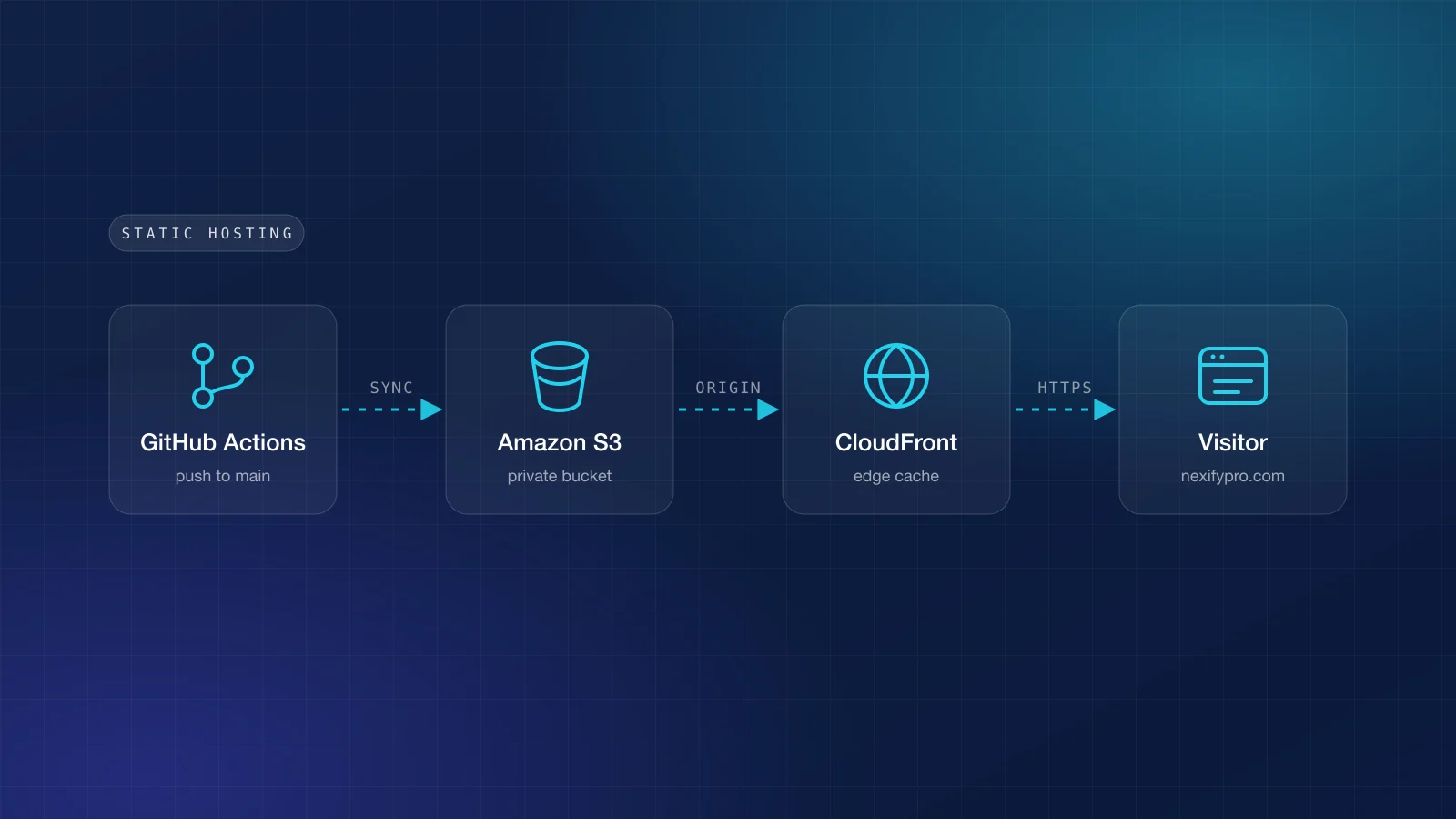
A GitHub Actions workflow runs on every push to main: install, lint, build, sync out/ to the
bucket with the cache headers above, then create a CloudFront invalidation. It authenticates to
AWS with OpenID Connect, which means no long-lived access keys are stored in GitHub. Pull requests
run the same lint and build steps without deploying.
The whole thing is described in Terraform: the bucket, the distribution, the function, the
certificate, DNS and the deploy role. Recreating it in another account is one terraform apply.
What it costs
CloudFront's free tier covers one terabyte of transfer a month, S3 storage for a site like this is a few cents, and the only fixed line item is the hosted zone. For a marketing site with a blog that is close to free, with no servers to patch.
Written by
NexifyPro Engineering
Use this article